~/projects/heimdall-listener
Heimdall Listener active
A passive network monitor for system administrators. It shows which hosts still use the legacy name-resolution and auto-discovery protocols that Responder, Inveigh, mitm6 and ntlmrelayx abuse, flags hosts that answer like a poisoner, and never transmits a packet of its own.
$ git clone heimdall-listenerdocsreleases
what it catches
| traffic | why it matters | abused by |
|---|---|---|
| LLMNR queries | Windows falls back to LLMNR when DNS fails; anyone on the segment can answer and harvest NTLM credentials | Responder, Inveigh, ntlmrelayx |
| NetBIOS name service | Same fallback, broadcast to the whole subnet | Responder, Inveigh |
| mDNS queries | Windows 10+ also falls back to mDNS and trusts any answer | Responder, Inveigh |
WPAD lookups and wpad.dat fetches | A poisoned proxy auto-config lets the attacker demand credentials from every browser and service | Responder, ntlmrelayx |
| DHCPv6 solicits | Windows asks for DHCPv6 even on IPv4-only networks and accepts the first answer as its DNS server | mitm6 |
two programs, one engine
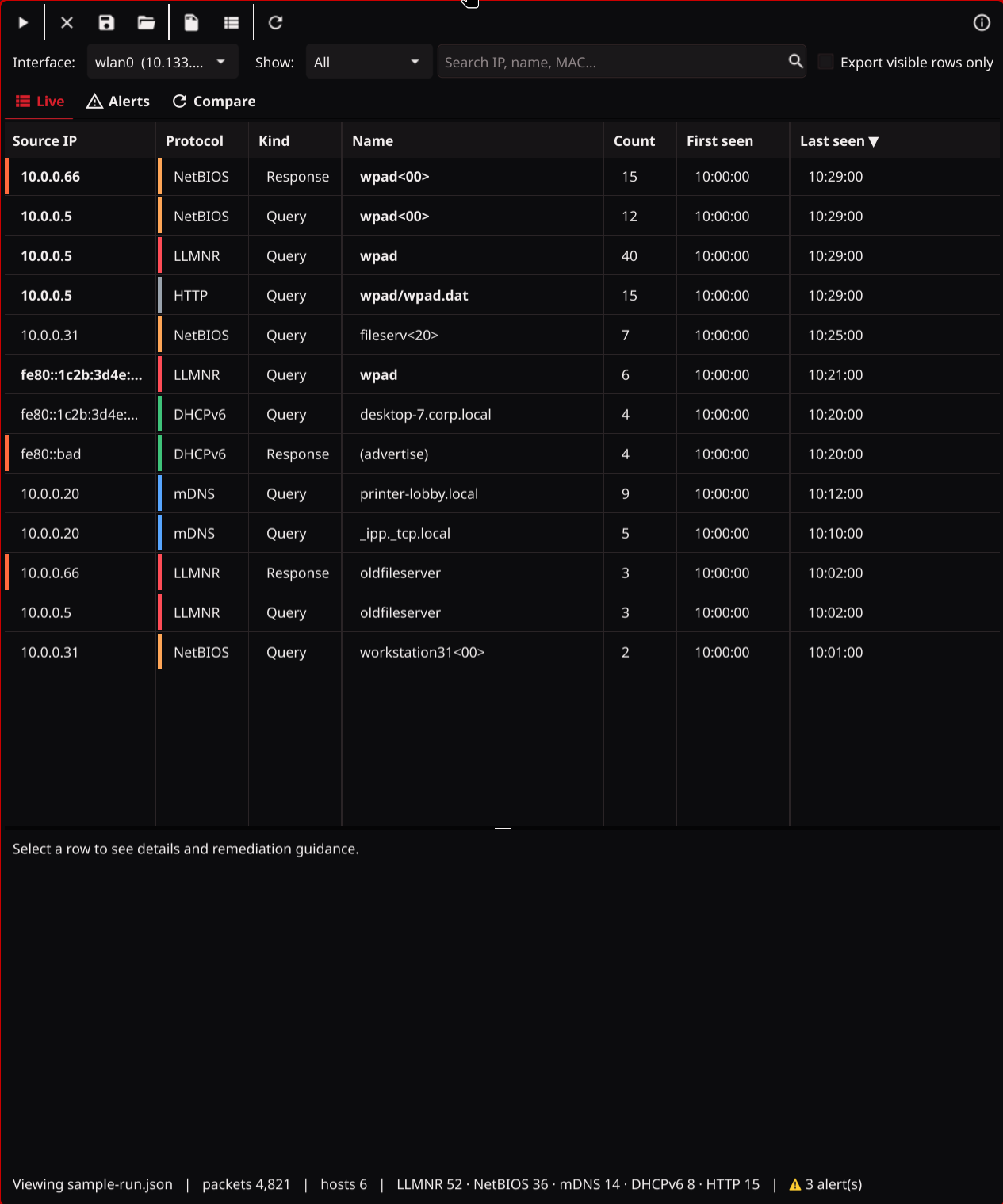
- Workstations with a desktop: live table, filters, per-host remediation steps.
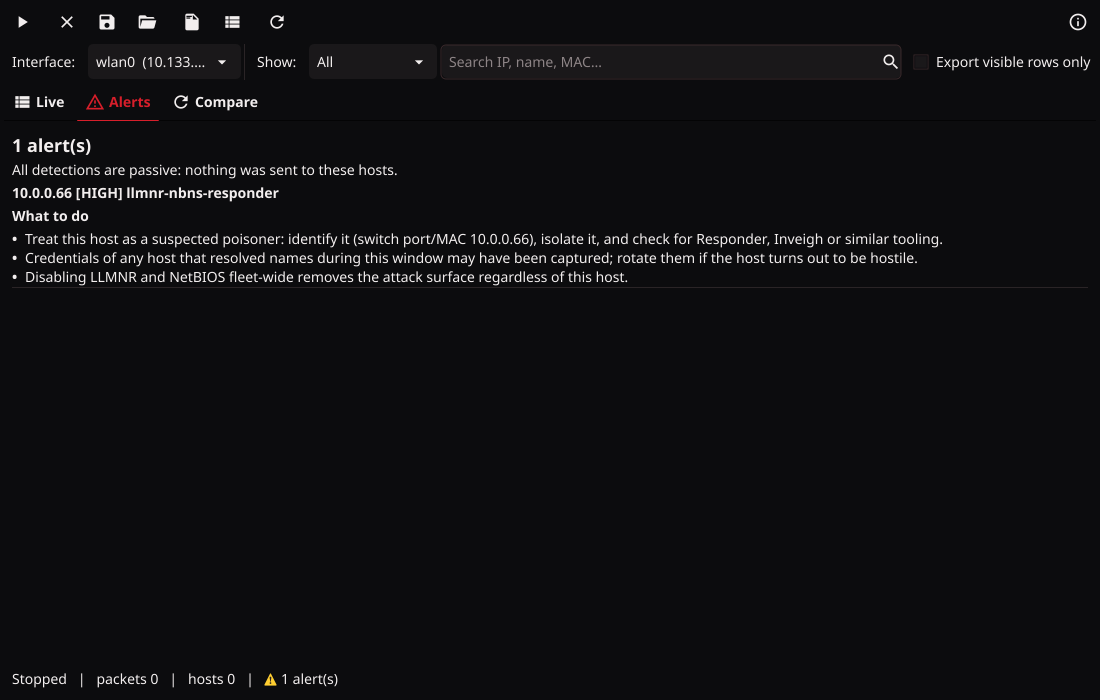
- Alerts tab with evidence, desktop notifications, red markers on affected hosts.
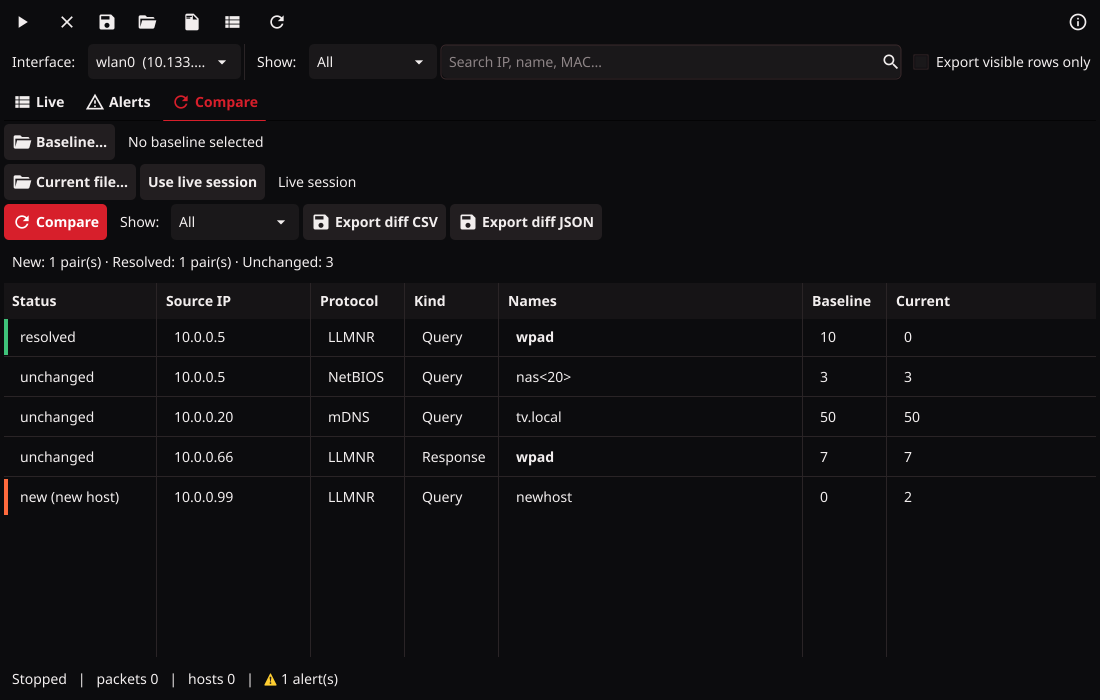
- Save runs, compare a baseline against the live session or another run, export CSV or a change-ticket diff.
- libpcap on Linux and macOS, Npcap on Windows.
- Servers, cloud VMs, Windows Server Core, scheduled sensors.
- Pure-Go static binary on Linux, nothing to install; Npcap on Windows.
capture,diff,export, JSONL for a SIEM, exit codes scripts can act on.- Runs as a sandboxed systemd unit or a Windows service with rolling snapshots.
install
# release binaries: github.com/ZerkerEOD/heimdall-listener/releases (SHA256SUMS included)

# or from source, Go 1.25+ (libpcap-dev only for the GUI)
go install github.com/ZerkerEOD/heimdall-listener/cmd/heimdall-cli@latest
go install github.com/ZerkerEOD/heimdall-listener/cmd/heimdall-listener@latest

# capture needs privileges; on Linux grant them once instead of sudo
sudo setcap cap_net_raw,cap_net_admin+eip /usr/local/bin/heimdall-cli

# a remediation loop
sudo heimdall-cli capture -i eth0 -d 30m -o before.json --summary before.txt
#   … disable LLMNR / NetBIOS via GPO, fix the wpad DNS record …
sudo heimdall-cli capture -i eth0 -d 30m -o after.json
heimdall-cli diff before.json after.jsondocumentation
Every release keeps its own docs. latest follows the newest tag, dev follows main. The README, the GUI tour and the CLI reference are all there.
screenshots